How it works
Set up AttriBolt in about 5 minutes.
No theme code and no developer. Watch the walkthrough, then follow the steps with the exact menu paths. The in-app setup guide ticks each one off once Shopify confirms it.

Hover or press Space to pause. Click a segment of the top bar to jump to a step.
 1
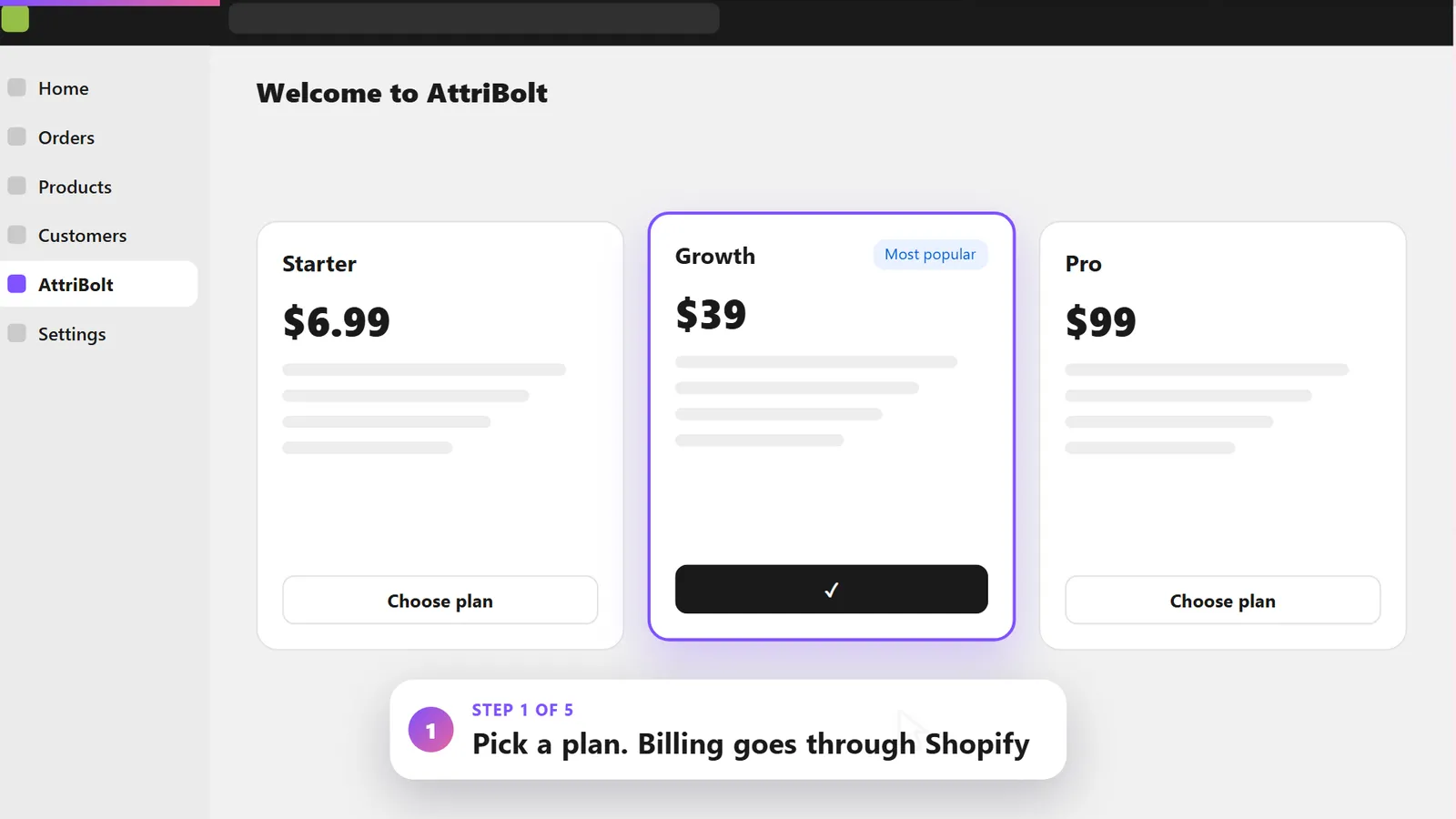
1Install AttriBolt and pick a plan
Install AttriBolt from the Shopify App Store and choose a plan. Billing goes through Shopify and shows on your Shopify invoice.
Shopify App StoreAttriBoltInstall
 2
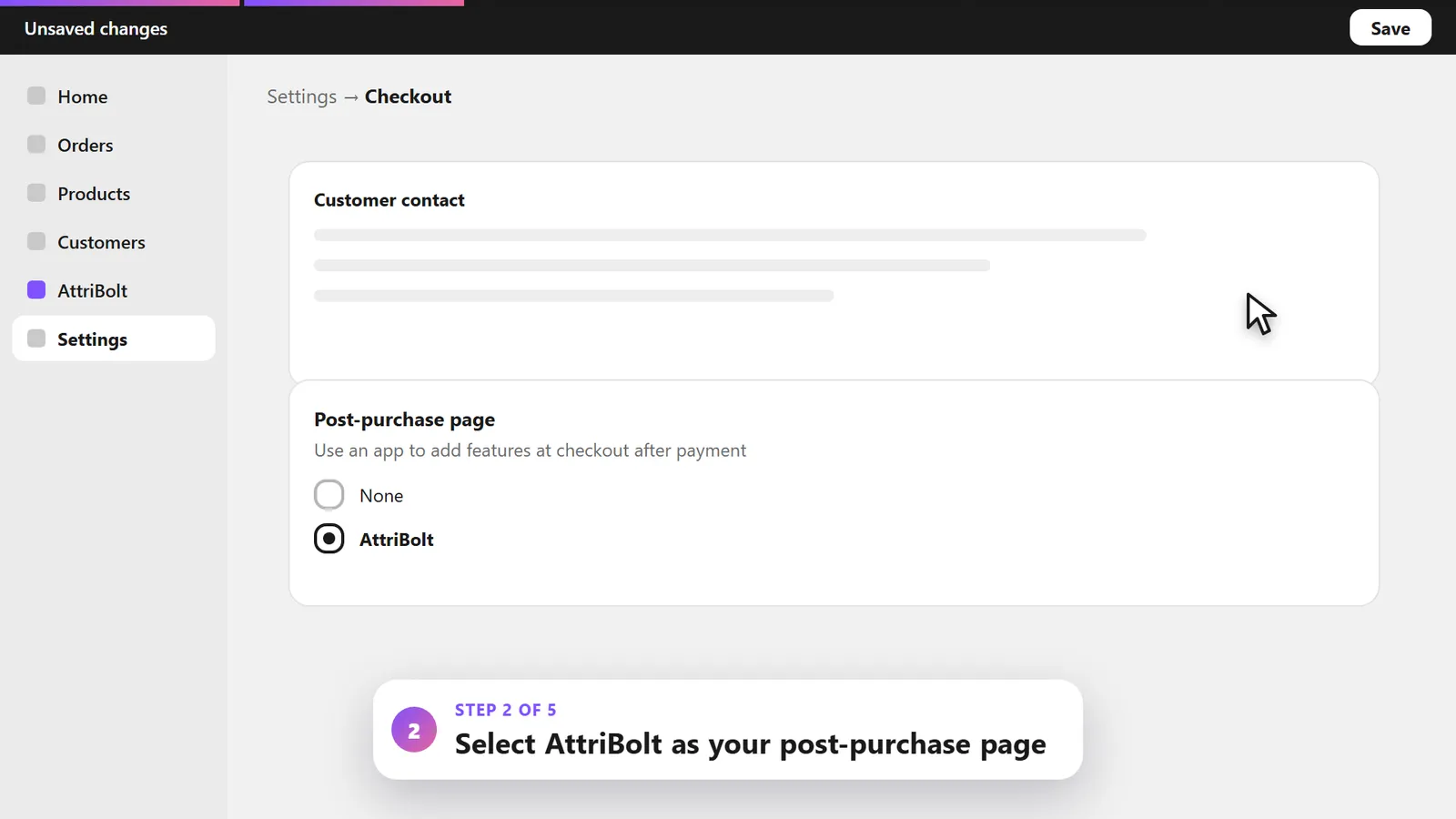
2Select AttriBolt as the post-purchase page
This is where the special offer appears, right after payment. Only one app can run the post-purchase page at a time.
SettingsCheckoutPost-purchase pageAttriBolt
 3
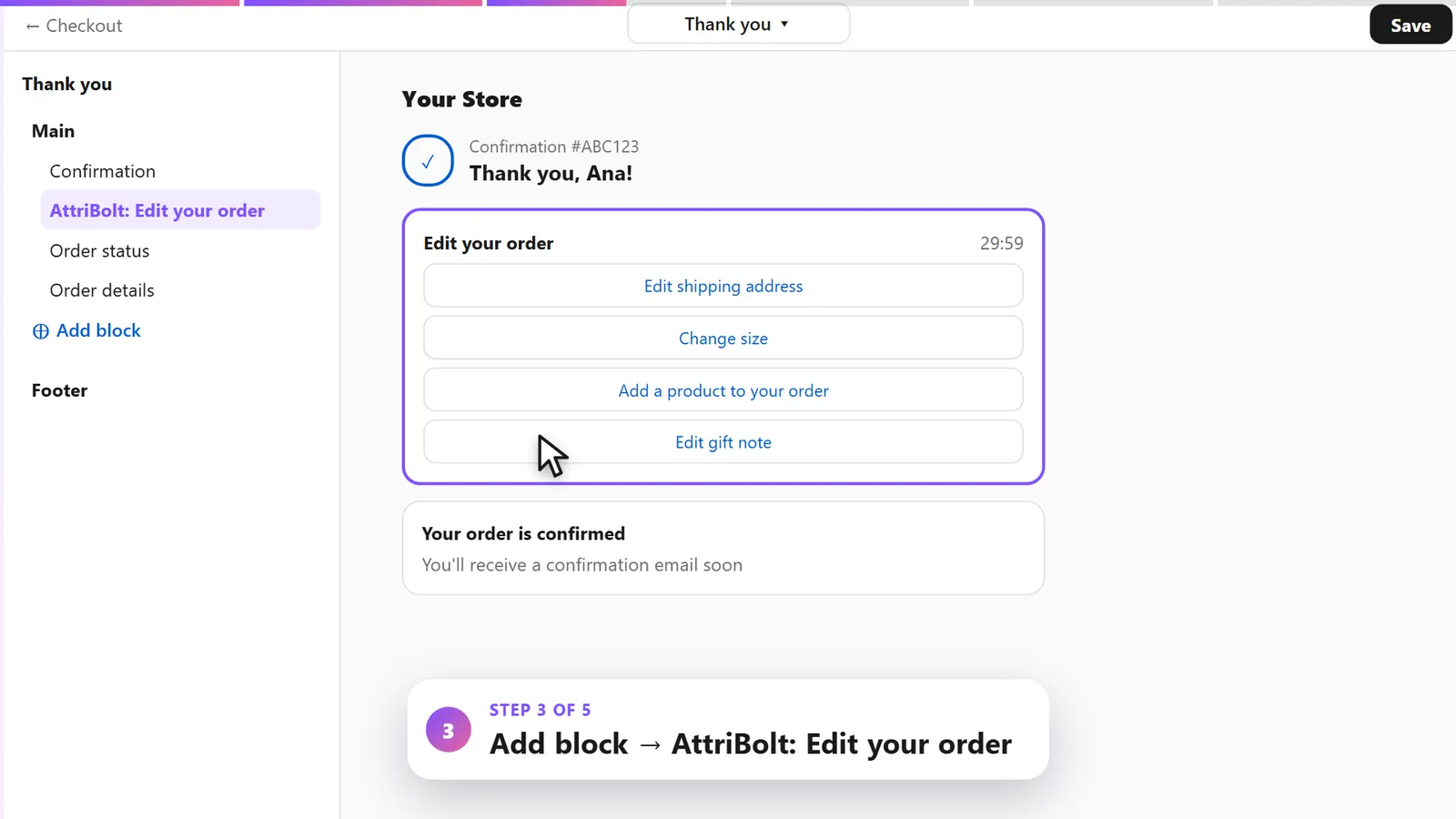
3Add the Edit your order block to the Thank you page
Open the checkout editor, switch to the Thank you page and add the block. Save, and customers can edit their order.
Checkout editorThank youAdd blockAttriBolt: Edit your order
 4
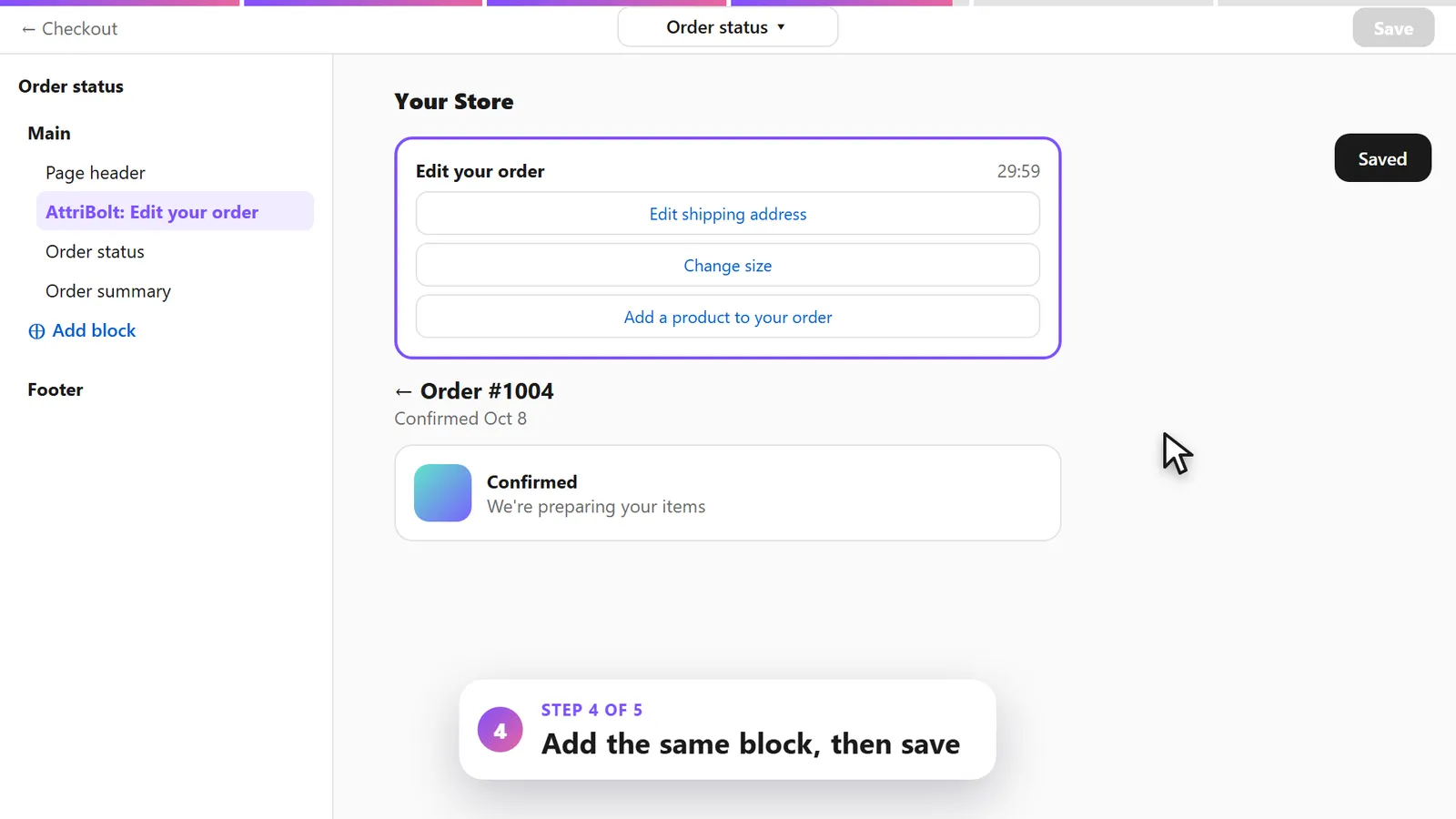
4Do the same on the Order status page
Customers come back to this page from their confirmation email, so the block is there when they need it.
Checkout editorOrder statusAdd blockAttriBolt: Edit your order
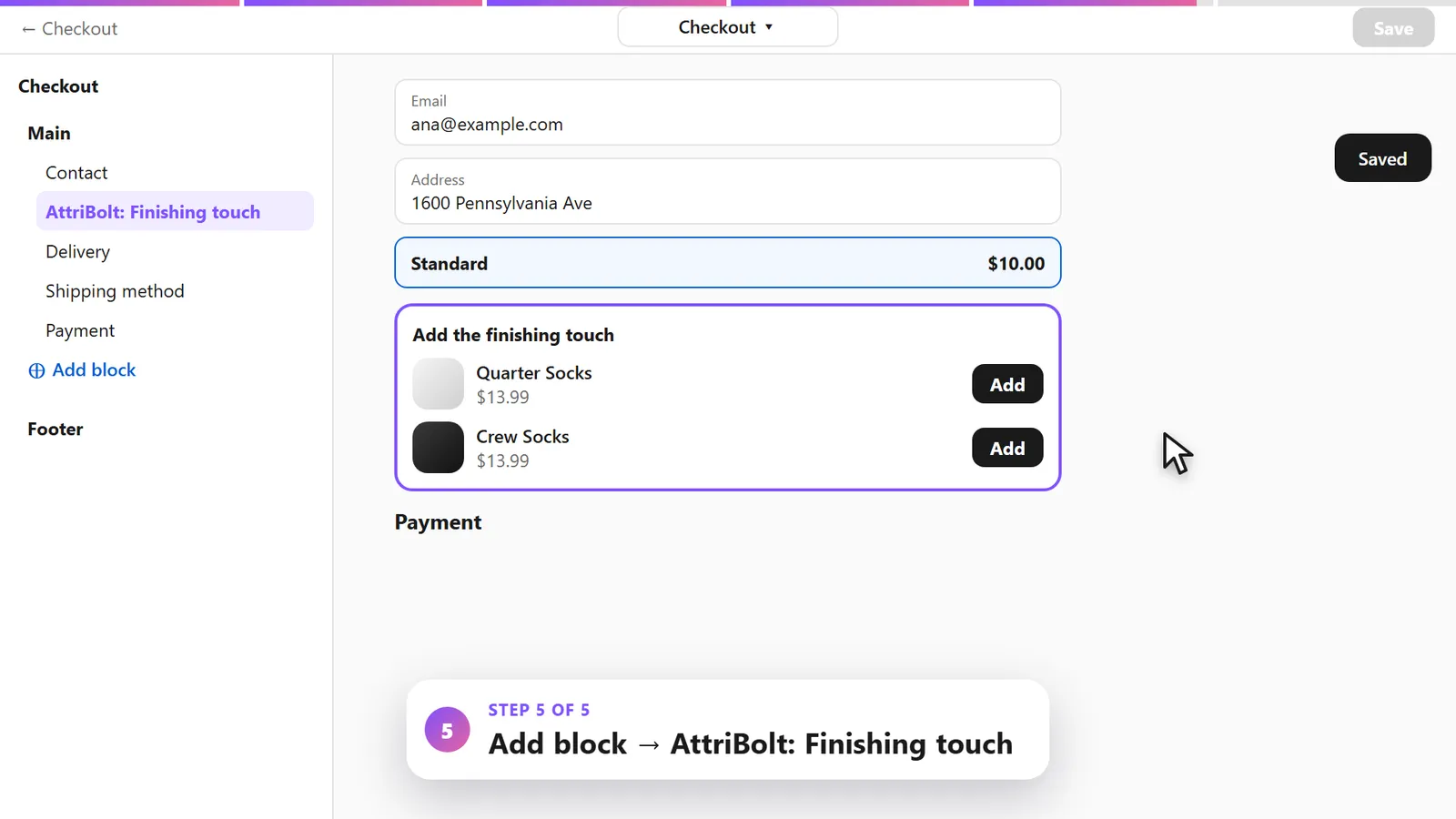 5Shopify Plus · ProOptional
Shopify Plus: add the Finishing touch block
On Shopify Plus, you can also suggest products inside checkout, before payment. Included in Pro.
Checkout editorCheckoutAdd blockAttriBolt: Finishing touch


Test it
- 1Place a test order paid by card, with a shipping address. With Shopify Payments in test mode you can use the card 4242 4242 4242 4242.
- 2Pay by card: Shopify skips the offer page for wallets such as Apple Pay and Google Pay.
- 3After payment, check the special offer page, then the Thank you page and the Order status page.
- 4Try a size change: a review step shows the amount before the customer confirms.
- 5Edits change the real order in Shopify, so cancel and refund the test order when you are done.
Help customers find the edit link later
Customers often notice a mistake after they close the Thank you page. AttriBolt gives you a short snippet for Shopify's Order confirmation email.
Copy it from AttriBolt › Order editing and paste it into the template in Settings › Notifications › Order confirmation. It tells customers how long they have and links to the Order status page, where the Edit your order block appears.
Still have a question?
Most setup questions are answered in the FAQ.
Give customers 30 minutes to get it right.
Install AttriBolt, add the blocks, and let customers fix the small things themselves.